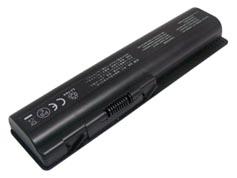
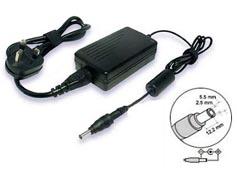
MSI A32-A15 Battery-Replacement for MSI A32-A15 Laptop Battery (Li-ion 4400mAh)
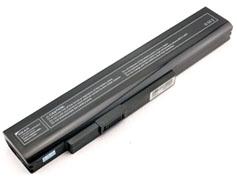
This is a laptop battery (notebook battery) replacement for MSI A32-A15; High quality battery cells are used in our replacement MSI A32-A15 battery pack. It is rigorously tested, with UK, CE, UL safety approval; meets or exceeds original MSI A32-A15 battery's specifications, brand new with 1 year warranty.


 |
- A32-A15 Battery's Specifications:
- Product ID: BM-ENMS508
- Battery Type: Li-ion
- Battery Voltage: 11.1V
- Battery Capacity: 4400mAh
- Battery Color:
|
|
|
Please ensure this replacement msi a32-a15 battery that you are going to buy fits your laptop's brand, model number and OEM battery's part number. We ship to United Kingdom only.
Please press 'Ctrl+F' to search for your part number/machine model.
This A32-A15 battery is compatible with following part numbers:
MSI
| A32-A15 |
A41-A15 |
A42-A15 |
A42-H36 |
|
This A32-A15 battery is compatible with following models:
Medion
| Akoya E6221Akoya E6227Akoya E7219 Series |
Akoya P6631Akoya P6815Akoya P7621 |
Akoya P7815 SeriesErazer X6815Erazer X6816 Series |
MSI
| A6400 SeriesCR640 SeriesCR640DX |
CR640MXCR640XCX640 Series |
CX640DXCX640MXCX640X |
Fast, Safe, Satisfaction Shopping
Brand New, 1 Year Warranty, 30 Days Money Back.
All batteries are made with the high quality cells.
100% brand new and original manufacturer compatible.
Engineered and rigorously tested for voltage, capacity, compatibility and safety.
Thank you for viewing our brand new replacement msi a32-a15 laptop battery (notebook battery). Our replacement msi a32-a15 batteries last longer per charge and will last longer overall because whenever possible we only carry name brand battery cells. To better use your replacement msi a32-a15 laptop battery, please take care of the precautions listed below:
1. New A32-A15 battery pack needs to be fully charged and discharged (cycled) a few times before it can condition to full capacity.
2. Do not modify or disassemble the replacement msi a32-a15 battery.
3. Do not incinerate or expose replacement msi a32-a15 battery to excessive heat, which may result in an exposure.
4. Do not expose battery to water or other moist/wet substances.
5. Avoid piercing, hitting, crushing or any abuse use of the replacement msi a32-a15 battery.
6. Do not forget to take away your A32-A15 laptop battery from the device if you will not use it for a long time.
7. Avoid short circuit of the terminals by keeping your battery pack away from metal objects such as necklaces or hairpins.
8. Follow correct maintenance for your A32-A15 battery when not in use. Don't leave it in direct sunlight, areas where it will be exposed to extreme temperatures such as car trunks.


 Payment & Shipping
 My Cart